ProKit : QDM
Healthcare Edition

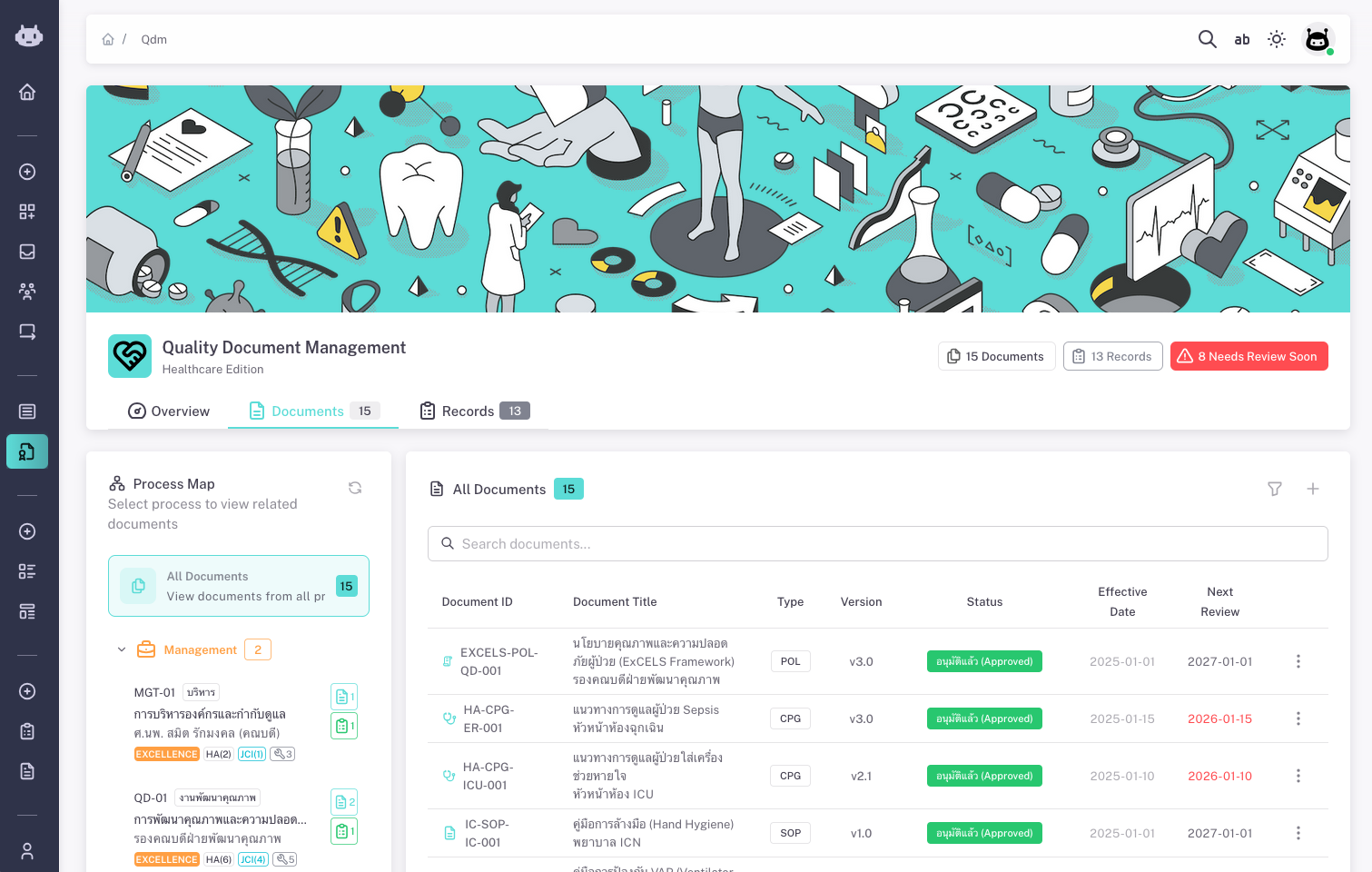
Quality Document Management for healthcare. Centralize policies, SOPs, and records with clear workflows and compliance in mind.

Quality Document Management — Healthcare Edition

What is ProKit: QDM?

Quality documents for better healthcare

      ProKit: QDM (Quality Document Management) is a system for managing quality-related documents and records in one place. It is built with healthcare and accreditation in mind: you organize documents by process and department, control their lifecycle from draft to approval to effective to obsolete, and link quality records to source documents with retention and review cycles.

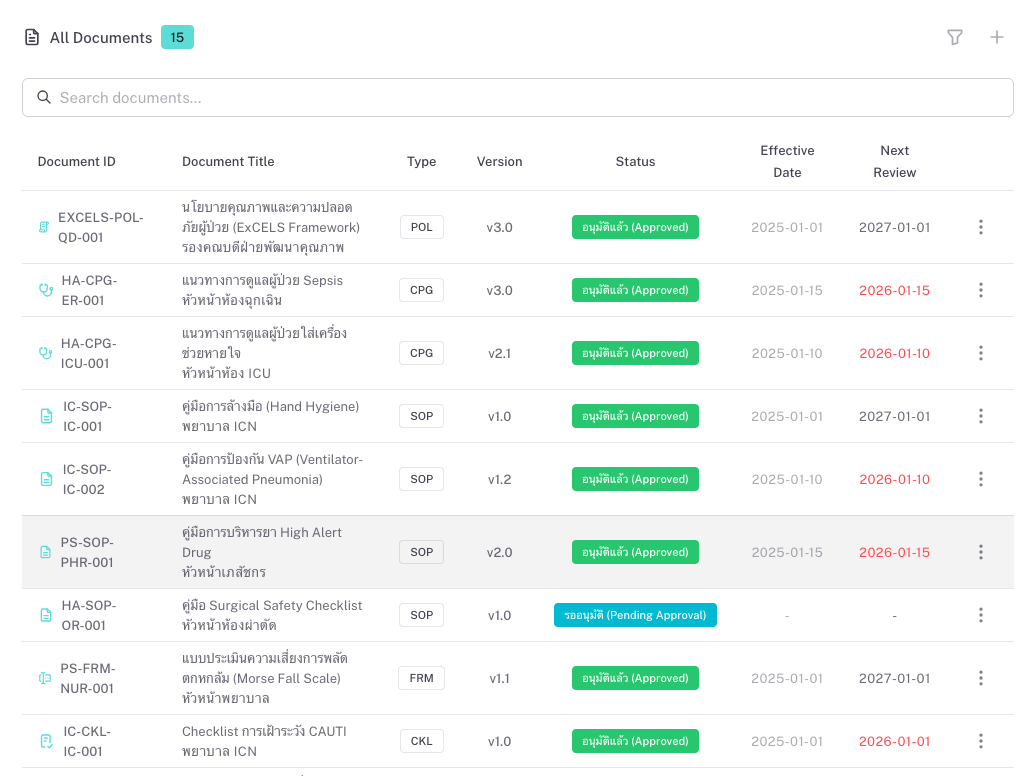
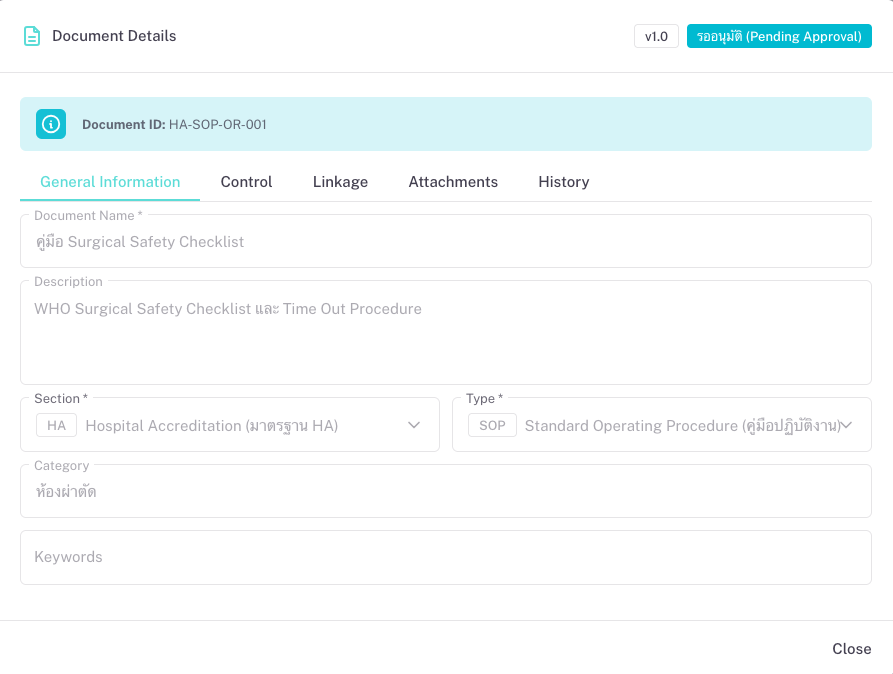
      Documents can be classified by type (e.g. Policy, SOP, Guideline, Form) and by section or standard (e.g. HA, JCI, infection control, patient safety). You see at a glance what is in force, what is under review, and what is nearing the next review date. QDM helps reduce scattered files, improve traceability, and support audits and accreditations.


01
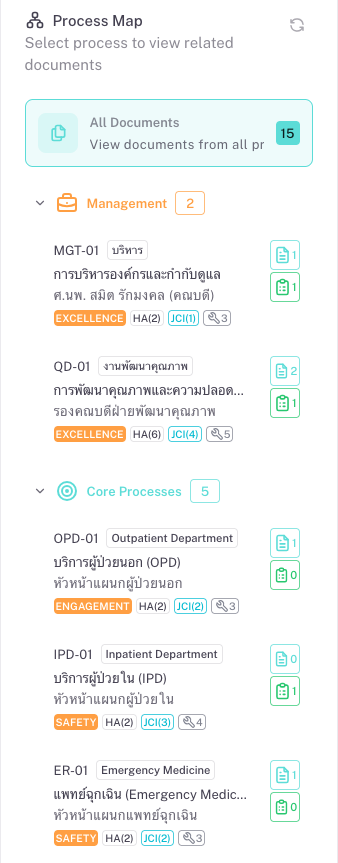
Process-based document map
Browse documents by department and process. The process tree reflects your organization’s structure so users find documents by where they work (e.g. nursing, lab, pharmacy) or by process area (e.g. patient safety, infection control).
02
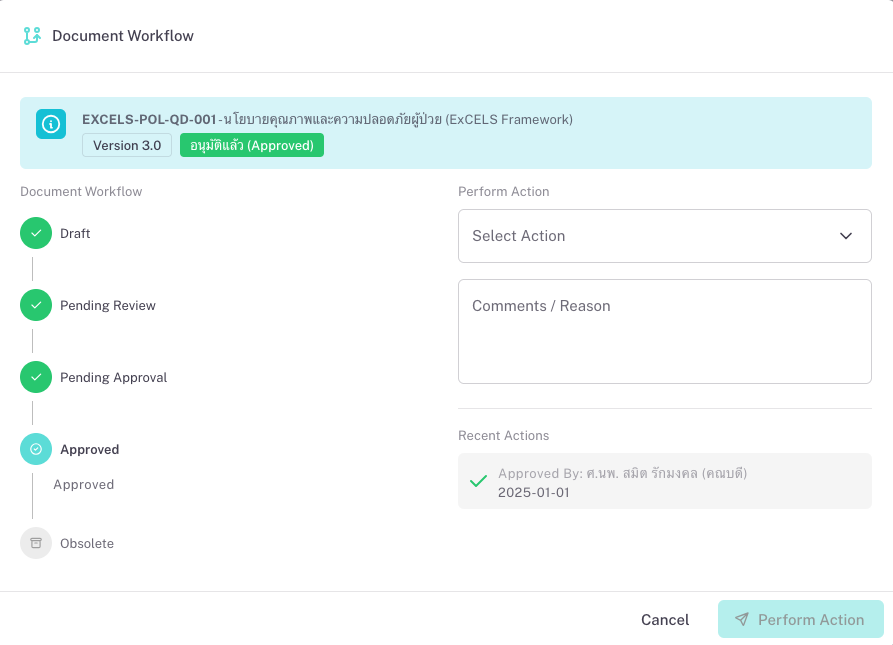
Document lifecycle and workflow
Each document follows a lifecycle: Draft → Pending review → Pending approval → Approved (effective) → Obsolete. Workflow steps include review, approval, and optional reactivation. You see the current status and who is responsible at each step.
03
Versioning and history
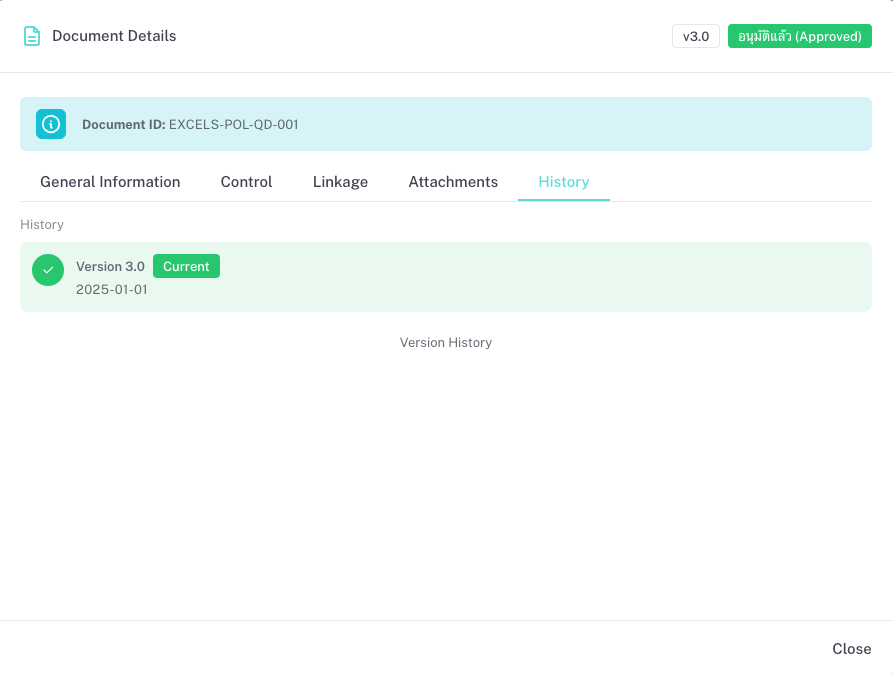
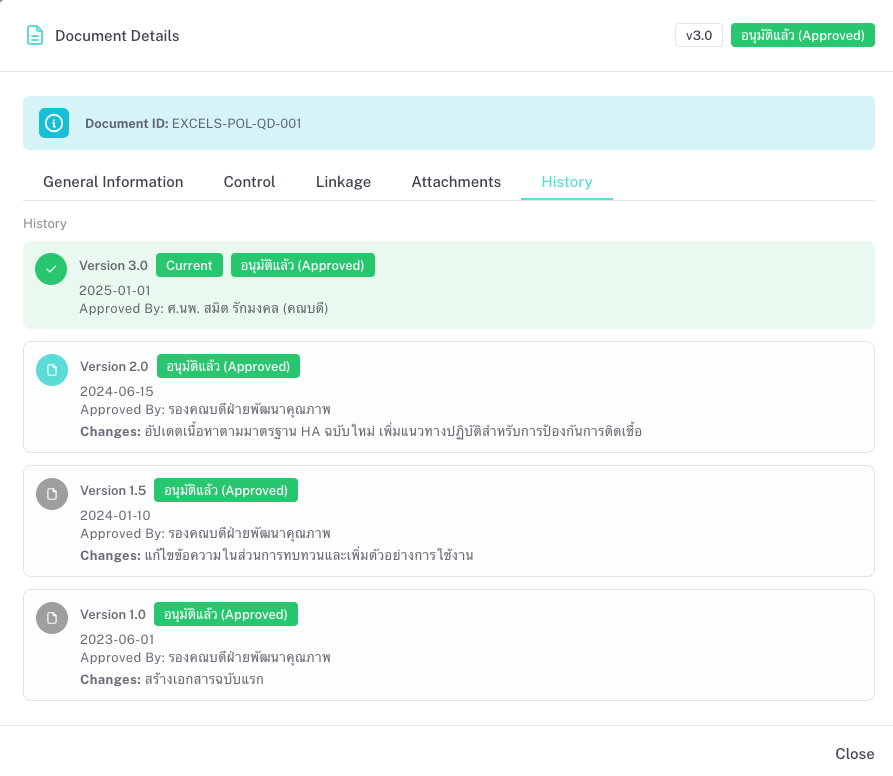
When content changes, a new version is created. Old versions remain viewable for audit. You track issue date, effective date, next review date, and review cycle so nothing is overlooked.
04
Quality records and retention
Quality records (evidence, logs, filled forms) are linked to the source document. You define retention periods and see which records are nearing the end of retention, so disposal or archive decisions are easier.
05
Dashboard and oversight
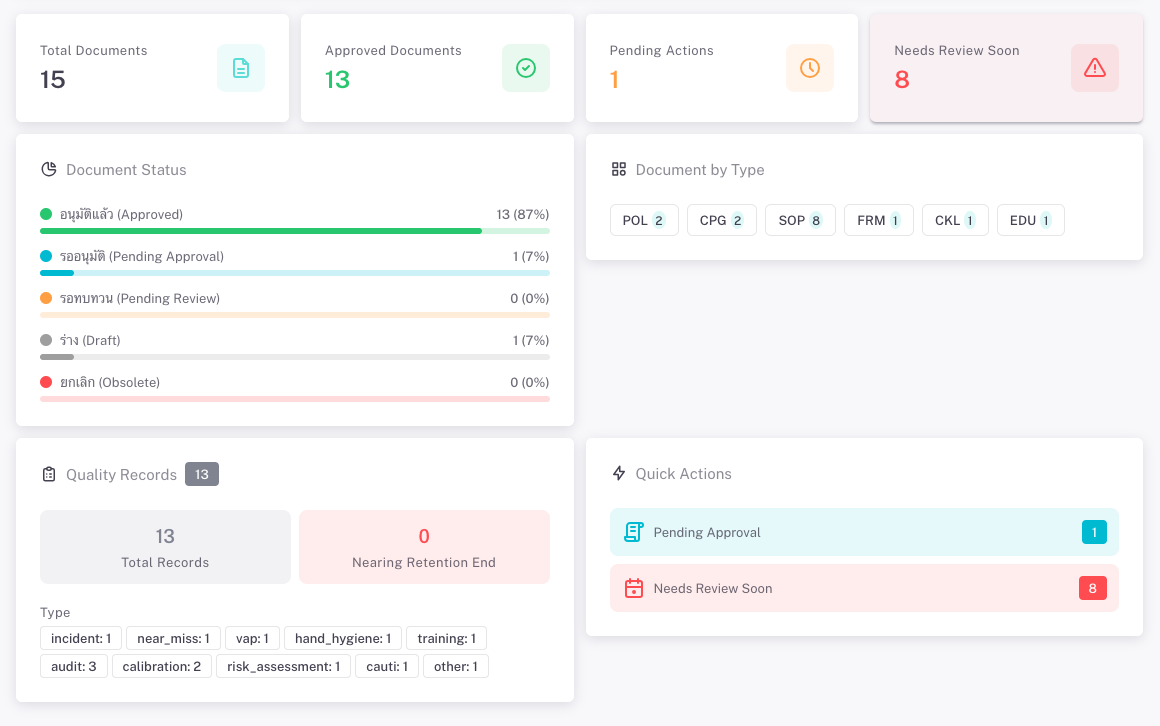
A dashboard shows total documents, counts by status (e.g. approved, pending review), and records nearing retention end. Quick filters help staff see “my pending reviews” or “documents needing approval soon,” so the right people can act in time.
How can you use it?

QDM supports any organization that must maintain and demonstrate control over quality documents. Common uses

Hospital and healthcare accreditation

Keep policies, SOPs, guidelines, and forms aligned with HA, JCI, or other frameworks. Organize by standard or department, run review and approval workflows, and retain an audit trail for surveyors.

[HA standards] · [JCI standards] · [Infection control] · [Patient safety]

Department-level document control

Each department owns its processes and documents. Staff find and use the latest versions; reviewers and approvers see what needs attention. Reduces “which version is current?” and duplicate or outdated files.

[Nursing procedures] · [Lab manuals] · [Pharmacy protocols]

Periodic review and renewa

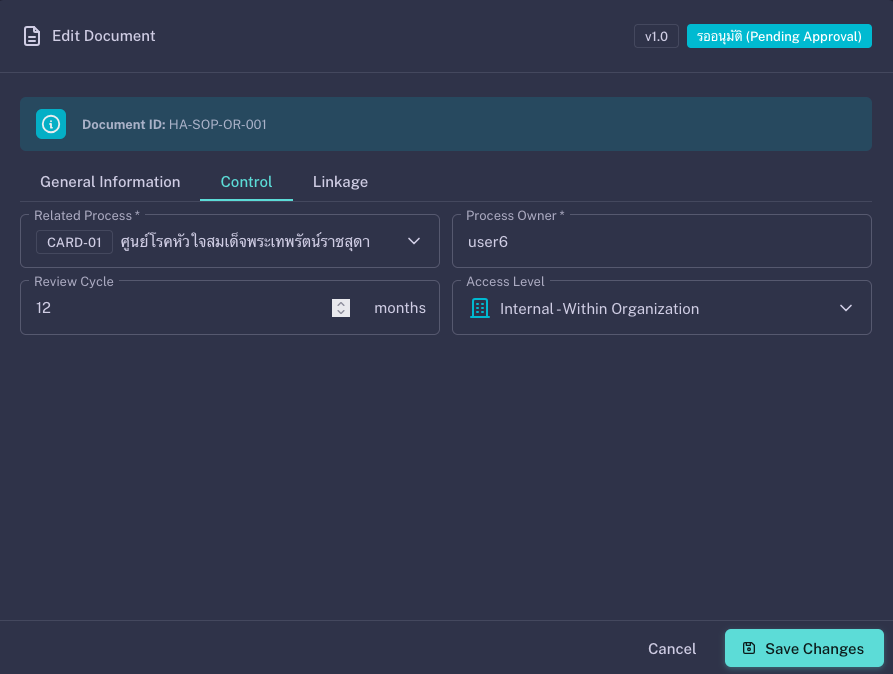
Set review cycles (e.g. every 12 months). The system flags documents whose next review is due. Owners update content, send for review and approval, and the new version goes effective on a chosen date.

[Annual policy review] · [Procedure updates] ·[ Form revision]

Quality records and evidence

Link filled forms, checklists, and logs to the controlling document. Track retention; list records nearing end of retention for disposal or archive. Keeps evidence in one place and supports compliance and audits.

[Training records] · [Checklists] · [Incident logs] · [Audit evidence]

Cross-cutting standards (e.g. TQA, ExCELS)

For organizations using Thailand Quality Award, ExCELS, or similar frameworks, map documents to those dimensions. You can report “what we have” by section and show alignment to assessors.

[TQA criteria] · [ExCELS dimensions] · [Quality improvement] · [Knowledge management]

Training and competency management

Manage training materials, competency checklists, and educational documents. Link training records to policies and procedures, track who completed what training and when, and maintain evidence of competency for accreditation and compliance.

[Training manuals] · [Competency checklists] · [Educational materials] · [Training records]

Cart (0 items)

Create your account

Select the fields to be shown. Others will be hidden. Drag and drop to rearrange the order.
  • Image
  • SKU
  • Rating
  • Price
  • Stock
  • Availability
  • Add to cart
  • Description
  • Content
  • Weight
  • Dimensions
  • Additional information
Click outside to hide the comparison bar
Compare